B-roll lands on the words you pick
Set your keywords. ClipMe drops B-roll onto the clip the moment you say them, and flags every sponsor mention in the stream. Studio tier, $99/month.

100

20–40

$99

0
Built for streamers on Kick, Twitch and YouTube
B-roll lands on your keywords.
ClipMe Studio reads every clip for the words you set,
and flags sponsor mentions on the way through.
Put B-roll on your keywords
B-roll fires on the words you set
Give ClipMe Studio your keyword list. When a clip hits one of those words, the B-roll cuts in on it. No timeline to learn, no scrubbing.
Sponsor mentions get flagged
ClipMe Studio marks every clip where a sponsor gets named, so the reads your deal is paying for are easy to pull out of a long stream.
Built for teams running more than one creator
Agencies run bulk VODs with a brand kit per client. Studio also carries unlimited clips, priority rendering and 3 team seats, for $99 a month.
How B-roll on keywords works
Keyword mode

- Drop a Kick, Twitch or YouTube link
- Set the words your B-roll should land on
Sponsor mode
- Drop a Kick, Twitch or YouTube link
- ClipMe flags every clip where a sponsor gets named
Put B-roll on your keywords
Clip, caption, post.
One tool, three platforms
No app-hopping. ClipMe cuts, captions, reframes and publishes, live on Kick, Twitch and YouTube.
Live clipping
you are still live
Captions
Auto-posting
B-roll on keywords
you set. Studio tier
Sponsor detection
Viral score
Highlight reel
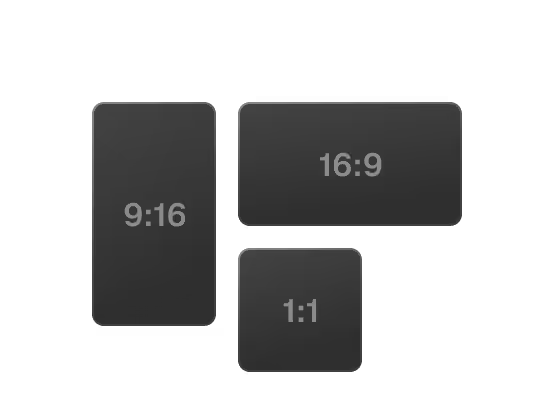
Face-tracked reframe
Got questions?
How does ClipMe work?
Drop a Kick, Twitch or YouTube link. ClipMe ranks every moment in the stream, cuts the ones worth posting, burns in word-level captions and reframes them to 9:16, 1:1 or 16:9. Chat velocity and 17 more proprietary signals pinpoint the exact seconds worth clipping. One stream in, 100 ready-to-post clips (graded 1–31) out. Learn more
What can I clip?
Kick, Twitch and YouTube, live or from a VOD. ClipMe clips live on all three platforms and publishes while you are still on air. No download, no upload, no editor to learn. To pull one specific moment, describe it in plain words with Prompt Mode. To see how that works, visit the Prompt Mode page.
Which caption languages are supported?
Captions are word-level, burned in, and auto-translated into 5 languages.
Can I change where the B-roll lands?
B-roll follows the keyword list you set, so the words decide where footage lands.
B-roll on keywords and sponsor detection are Studio-tier features, $99 a month.
What comes with Studio?
Everything in Pro, plus unlimited clips, B-roll on keywords, sponsor detection, priority rendering and 3 team seats. Studio is $99 a month.
Is B-roll included on the free plan?
No. B-roll on keywords and sponsor detection are Studio-tier, $99 a month. The free plan still gives you 100 clips (graded 1–31) from your first stream, watermark-free.
Do the clips carry a watermark?
No watermark on any plan, including free.
Is ClipMe free to use?
Starter is $0: 100 clips (graded 1–31) from your first stream, native format, no watermark, posting to 1 platform.
Pro is $29 a month: 100 clips per stream, all formats, auto-posting to TikTok, IG and YT, auto-translated captions and highlight reels.
Studio is $99 a month, for teams and agencies.
A founding seat is $297 once and covers 12 months of Studio, a $1,188 value.
Still have questions?
Join our Discord or email us at contact@clipme.com. We read everything.